AI Workout Planner: How to Create a Personalized Fitness Plan
Discover how an AI workout planner can help you create personalized fitness routines based on your goals, fitness level, and available equipment. Learn how AI fitness planning works, explore its benefits and limitations, and find practical tips for building a workout routine that fits your lifestyle
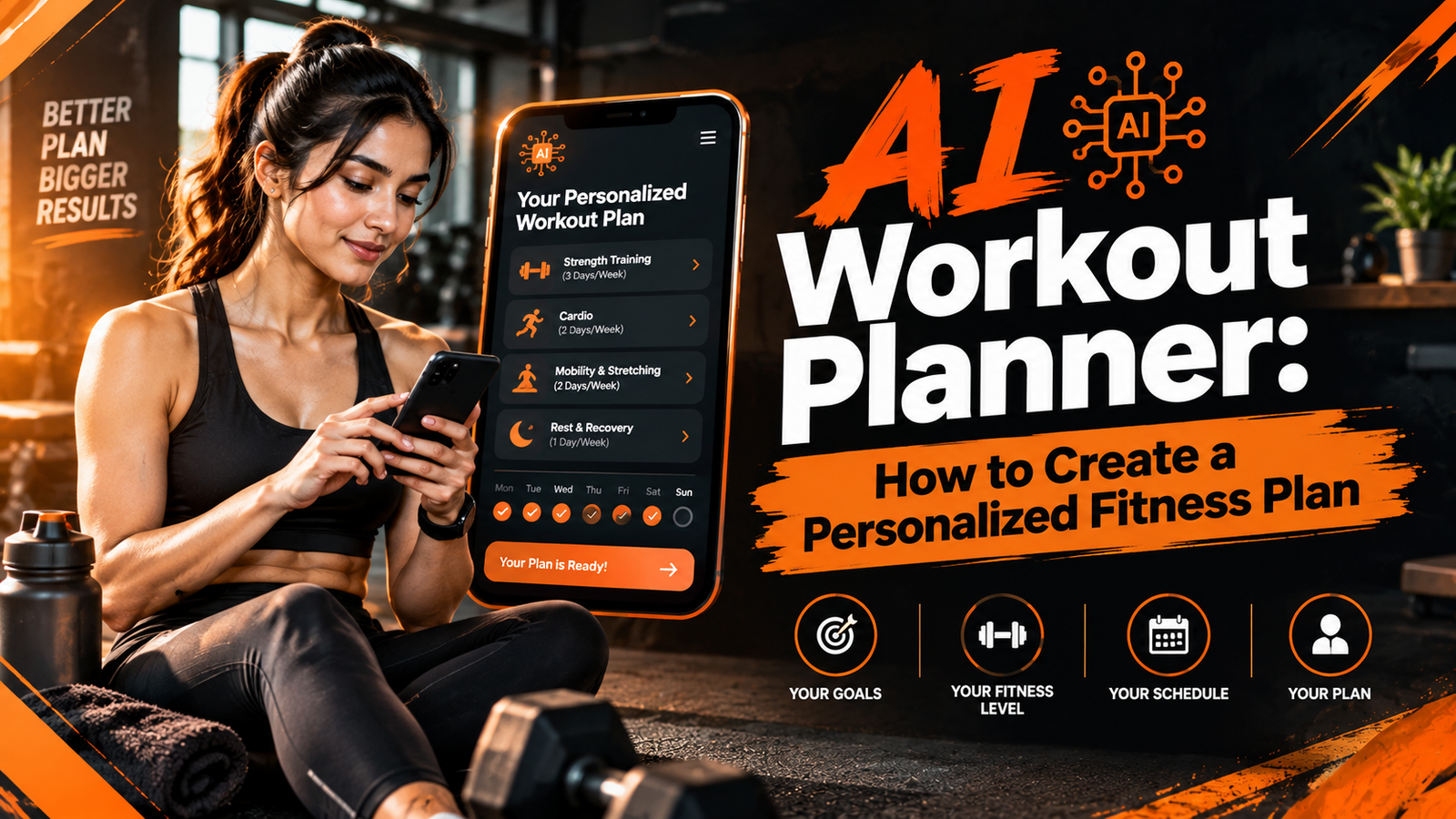
AI Workout Planner: How to Create a Personalized Fitness Plan
An AI workout planner can make it easier to create a fitness routine that matches your goals, experience, schedule, and available equipment.
Whether you want to build muscle, improve endurance, lose weight, or stay active at home, an AI-powered workout planner can help you organize your exercise routine without spending hours researching different workouts.
Instead of following a generic fitness plan, you can use artificial intelligence to generate a workout schedule based on the information you provide.
However, an AI-generated workout is not automatically suitable for everyone. The quality of the plan depends on the information you enter, the system's capabilities, and whether the exercises match your physical abilities.
In this guide, you will learn what an AI workout planner is, how it works, its potential benefits, and how beginners can use it to build a practical fitness routine.
You will also discover what to look for in an AI fitness planner and how to avoid common mistakes when using technology to plan your workouts.
All Tools
What Is an AI Workout Planner?
An AI workout planner is a digital tool that uses artificial intelligence to help create, organize, or adjust exercise routines.
It may use information such as your fitness goals, experience level, available equipment, preferred workout duration, and weekly schedule to generate a personalized exercise plan.
For example, if you tell an AI workout planner that you are a beginner who wants to exercise at home for 20 minutes a day, it may suggest a routine involving bodyweight exercises, simple movements, and rest days.
Some tools also provide exercise instructions, workout schedules, progress tracking, and suggestions for adjusting your routine.
The exact features depend on the platform.
What Does an AI Workout Planner Do?
An AI workout planner can help you:
- Create a workout schedule based on your fitness goals.
- Choose exercises that match your available equipment.
- Organize workouts by muscle group or exercise type.
- Adjust workout duration to fit your daily schedule.
- Suggest beginner-friendly exercise variations.
- Track completed workouts when tracking features are available.
- Generate new workout ideas when your routine needs variety.
Not every AI fitness tool offers all these features.
Some tools focus only on generating exercise plans, while others combine workout planning with fitness tracking and progress monitoring.
How Does an AI Workout Planner Work?
An AI workout planner typically works by collecting information about your fitness preferences and using that information to generate a suggested exercise routine.
The process can vary depending on the technology behind the tool.
Some platforms use predefined workout templates and rules, while others use machine learning, language models, or other AI techniques to generate recommendations.
Step 1: Enter Your Fitness Goals
The first step is usually to explain what you want to achieve.
Common fitness goals include:
- Building muscle.
- Improving cardiovascular endurance.
- Supporting weight management.
- Increasing flexibility and mobility.
- Improving general fitness.
- Developing a consistent exercise habit.
Your goal helps the planner determine the general structure of your workout routine.
For example, a plan focused on strength training may include resistance exercises, while a plan focused on cardiovascular fitness may include walking, cycling, or other aerobic activities.
Step 2: Provide Your Fitness Level
Your current fitness level helps determine how demanding your workout should be.
Most planners allow you to identify yourself as a beginner, intermediate, or advanced exerciser.
Some tools may also ask about your previous exercise experience.
A beginner-friendly routine might include basic movements, shorter sessions, and more recovery time.
A more experienced exerciser may prefer a structured program with greater training variety.
However, selecting a fitness level does not guarantee that every suggested exercise will be appropriate for you.
You should review the plan before following it.
Step 3: Choose Your Available Equipment
An AI workout planner may ask what equipment you have access to.
Examples include:
- Dumbbells.
- Resistance bands.
- A yoga mat.
- A barbell and weight plates.
- A pull-up bar.
- Cardio machines.
- No equipment.
This information helps the planner suggest exercises that fit your training environment.
For example, if you have no equipment, the system may recommend bodyweight movements such as squats, wall push-ups, and glute bridges.
If you have dumbbells, it may suggest exercises such as dumbbell rows, shoulder presses, and goblet squats.
Step 4: Set Your Workout Schedule
Your available time is another important part of workout planning.
You may be able to specify:
- How many days per week you want to exercise.
- How long each session should last.
- Which days you prefer to train.
- Whether you want to exercise at home or in a gym.
For example, a person who has 20 minutes available on weekdays may need a different routine from someone who can train for an hour several times a week.
A realistic schedule can make it easier to maintain a consistent exercise habit.
Step 5: Generate Your Workout Plan
After collecting the information, the AI tool creates a suggested workout routine.
Depending on the platform, the plan may include:
- Exercise names.
- Sets and repetitions.
- Workout duration.
- Rest periods.
- Weekly training schedules.
- Warm-up and cool-down suggestions.
- Exercise alternatives.
The system may also explain how to organize exercises into a workout session.
You should check that the suggested exercises, training volume, and intensity are appropriate for your abilities before starting.
Step 6: Review and Adjust the Plan
An AI workout planner may allow you to modify the generated routine.
For example, you can request a shorter workout, replace an exercise, or change the number of weekly sessions.
Some tools also use workout history or feedback to suggest adjustments.
However, an AI system cannot reliably determine how your body feels or whether you are recovering properly unless you provide accurate information, and even then, its recommendations have limitations.
Always pay attention to your own comfort, recovery, and physical condition.
Why Are AI Workout Planners Becoming Popular?
Planning a workout routine can feel confusing, especially for beginners.
People often struggle to decide which exercises to perform, how many days to train, and how to organize their sessions.
An AI workout planner can help simplify this process by turning basic fitness preferences into a structured routine.
1. Personalized Workout Suggestions
A general workout plan may not match your schedule, experience, or available equipment.
An AI workout planner can use the information you provide to generate a routine that better reflects your circumstances.
For example, a beginner who wants to exercise at home may receive a different plan from someone who trains regularly at a gym.
This personalization can make workout planning more convenient.
2. Convenient Workout Planning
Creating a workout routine manually can involve researching exercises, comparing training methods, and organizing a weekly schedule.
An AI tool can help bring these tasks together.
Instead of starting from scratch, you can use a generated plan as a starting point and make adjustments where necessary.
3. Flexible Scheduling
People have different work schedules, family responsibilities, and fitness preferences.
An AI workout planner can help organize workouts around the time you have available.
For example, if you can exercise only three days a week, you can request a routine designed around those days.
This can make it easier to plan exercise without forcing your schedule to fit a rigid program.
4. Exercise Variety
Repeating the same workout indefinitely may become boring for some people.
An AI fitness planner can suggest alternative exercises and different workout structures.
However, variety should not come at the expense of proper technique, appropriate training volume, or consistency.
You do not need to change your workout every day to make progress.
5. Support for Fitness Beginners
Beginners may not know where to start when creating a workout routine.
An AI planner can provide a basic structure and explain which exercises to include.
It can also help users understand how a weekly workout schedule is organized.
Still, beginners should learn proper exercise technique and avoid following movements that cause pain or feel unsafe.
What Information Should You Enter Into an AI Workout Planner?
The usefulness of an AI workout plan depends partly on the quality of the information you provide.
If your inputs are incomplete or inaccurate, the resulting workout may not match your needs.
Before generating a plan, consider the following information.
| Information | Example | Why It Matters |
|---|---|---|
| Fitness goal | Build strength | Helps determine the training focus |
| Experience level | Beginner | Helps guide exercise selection |
| Available equipment | Dumbbells and resistance bands | Limits exercises to suitable options |
| Workout duration | 20 minutes | Helps organize the session |
| Weekly availability | 3 days per week | Helps create a realistic schedule |
| Training location | Home | Helps determine the type of exercises |
| Exercise preferences | Low-impact workouts | Helps tailor the routine |
| Physical limitations | Knee discomfort | Signals the need for careful exercise selection and professional guidance |
You should never assume that an AI planner can diagnose an injury or determine whether a medical condition makes a particular exercise safe.
If you have a health condition, persistent pain, or specific exercise restrictions, seek guidance from a qualified healthcare professional or appropriately qualified fitness professional.
Different Types of AI Workout Planners
AI workout planners come in different forms.
Some focus on generating a workout from a written prompt, while others provide a more complete fitness planning experience.
Understanding the differences can help you choose a tool that matches your needs.
1. AI Chat-Based Workout Planners
These tools allow you to describe your fitness goals in a conversation.
For example, you might ask for a beginner-friendly home workout that requires no equipment.
The AI then generates a suggested routine based on your request.
Chat-based planners are often flexible because you can ask follow-up questions and request changes.
However, the quality of the plan depends on the system's capabilities and the accuracy of your instructions.
2. AI Workout Generator Apps
These applications focus on creating exercise routines through a structured interface.
They may ask you to select your fitness level, training goal, equipment, and available time.
The app then generates a workout plan using its built-in planning features.
Some applications also include workout logs, exercise demonstrations, and reminders.
3. AI Fitness Coaching Platforms
Some platforms combine workout planning with additional fitness features.
Depending on the service, these may include:
- Workout tracking.
- Progress summaries.
- Exercise demonstrations.
- Training recommendations.
- Goal-setting tools.
- Feedback-based plan adjustments.
The amount of personalization varies across platforms.
An AI fitness platform should not be confused with a qualified human coach or healthcare professional.
4. AI Workout Planners With Wearable Integration
Some fitness tools can connect with wearable devices that record information such as steps, heart rate, or activity duration.
When supported, this information may help the platform summarize activity or suggest changes to a workout schedule.
However, wearable measurements are not perfect, and they cannot provide a complete assessment of your health or recovery.
AI Workout Planner vs. Traditional Workout Planning
Both AI-assisted planning and traditional workout planning can help you organize your exercise routine.
The main difference is how the workout is created and adjusted.
Traditional planning may involve following a professionally designed program, working with a trainer, or creating a schedule manually.
AI planning uses software to generate or organize workout suggestions based on the information you provide.
Comparison Table
| Feature | AI Workout Planner | Traditional Workout Planning |
|---|---|---|
| Workout creation | Generated or organized using AI | Created manually or by a fitness professional |
| Personalization | Depends on the tool and user inputs | Depends on the program or professional |
| Convenience | Can generate suggestions quickly | May require research or consultation |
| Schedule flexibility | Often allows quick changes | Depends on the program |
| Exercise guidance | Varies by platform | Varies by resource or trainer |
| Human supervision | Usually not included | Available when working with a trainer |
| Cost | Free and paid options may exist | Depends on the resource or professional |
| Safety assessment | Limited and dependent on available information | A qualified professional may assess individual needs |
| Progress tracking | Available in some tools | Depends on the training method |
Neither approach is automatically suitable for everyone.
AI tools can help with organization and convenience, while qualified fitness professionals can provide individualized guidance and observe exercise technique.
Some people may benefit from combining both approaches.
Can an AI Workout Planner Help With Weight Loss?
An AI workout planner can help organize an exercise routine that supports weight management.
For example, it may suggest a combination of walking, strength training, and other forms of physical activity based on your preferences and available time.
However, an AI workout planner does not guarantee weight loss.
Changes in body weight depend on several factors, including energy intake, energy expenditure, sleep, health conditions, and consistency.
How AI Can Support a Weight Management Routine
An AI workout planner may help you:
- Schedule regular physical activity.
- Organize walking or cardio sessions.
- Include strength-training exercises.
- Adjust workout duration to fit your schedule.
- Track completed sessions if tracking is available.
- Create a routine that matches your fitness level.
These features can support a structured approach to physical activity.
However, exercise planning is only one part of weight management.
Balanced nutrition, adequate recovery, and sustainable habits also matter.
Can AI Create a Workout to Burn Belly Fat?
An AI workout planner can suggest exercises that support general fitness and physical activity.
However, no workout can guarantee fat loss from a specific body area.
Exercises that target the abdominal muscles can strengthen those muscles, but they do not selectively remove fat from the stomach.
If your goal is to manage body weight, focus on sustainable exercise habits and balanced nutrition rather than expecting a particular workout to eliminate belly fat.
Is an AI Workout Planner Suitable for Beginners?
An AI workout planner can be useful for beginners who want help organizing their first exercise routine.
It can suggest basic exercises, create a weekly schedule, and provide a starting point for building a consistent habit.
However, beginners should review every suggested exercise before performing it.
What Should Beginners Look For?
A beginner-friendly AI workout planner should allow you to:
- Select a beginner fitness level.
- Choose simple exercises.
- Set realistic workout durations.
- Include rest and recovery days.
- Request lower-impact exercise alternatives.
- Adjust the plan when an exercise feels too difficult.
A beginner should prioritize learning proper movement technique and developing consistency.
There is no need to begin with intense workouts or complicated training schedules.
When Should Beginners Seek Professional Guidance?
Professional guidance may be helpful if you:
- Have a medical condition that affects exercise.
- Experience persistent pain during physical activity.
- Have difficulty performing basic movements safely.
- Are recovering from an injury.
- Need a specialized exercise program.
An AI-generated plan should not replace individualized medical advice or rehabilitation guidance.
What Are the Limitations of an AI Workout Planner?
AI workout planners can be useful, but they have important limitations.
Understanding these limitations can help you use them more responsibly.
1. AI Can Suggest Unsuitable Exercises
An AI system may recommend an exercise that does not match your fitness level or physical limitations.
This can happen when the information you provide is incomplete or when the system misunderstands your needs.
Always review the workout before following it.
2. AI May Provide Inaccurate Information
AI-generated responses can contain errors, including incorrect exercise instructions, unrealistic training schedules, or unsupported fitness claims.
Do not assume that every recommendation is accurate simply because it is presented confidently.
For unfamiliar exercises, consult reliable instructional resources or a qualified professional.
3. AI Cannot Fully Assess Exercise Technique
A text-based AI planner cannot directly observe your posture, balance, or movement technique.
Some platforms offer video-based features, but their capabilities and accuracy vary.
If you are unsure how to perform an exercise safely, seek appropriate instruction.
4. AI Cannot Replace Medical Advice
An AI workout planner is not a medical diagnostic tool.
It cannot reliably determine whether exercise is appropriate for a particular medical condition or injury.
People with specific health concerns should seek professional advice before starting a demanding exercise routine.
5. AI May Not Understand Your Recovery Needs
Recovery depends on factors such as training intensity, sleep, nutrition, stress, and individual health.
An AI system may not have enough information to determine whether you are ready for another workout.
Pay attention to fatigue, soreness, and changes in how you feel.
Reduce your training intensity or take a rest day when needed.
Basic Example: An AI Workout Planner for a Beginner
Imagine someone who wants to start exercising at home.
They have no gym equipment and can spend about 20 minutes on each workout.
Their goal is to improve general fitness and build a consistent exercise habit.
They could enter the following information into an AI workout planner:
| Input | Example |
|---|---|
| Fitness goal | Improve general fitness |
| Experience level | Beginner |
| Training location | Home |
| Available equipment | No equipment |
| Workout duration | 20 minutes |
| Weekly schedule | 3 days per week |
| Exercise preference | Simple, low-impact movements |
The AI might suggest a basic routine involving a warm-up, simple bodyweight exercises, and a cool-down.
The user should review the exercises and adjust the plan according to their abilities.
This example demonstrates how an AI planner can turn basic preferences into a structured starting point.
It is not a personalized medical or fitness prescription.
Final Thoughts on AI Workout Planning
An AI workout planner can make exercise planning more convenient by organizing your fitness goals, schedule, and equipment preferences into a structured routine.
It can be especially helpful for people who want a starting point for building a workout habit.
However, AI-generated plans should be treated as suggestions rather than guaranteed solutions.
A suitable workout routine should match your fitness level, allow enough recovery, and support your long-term health goals.
The most useful AI workout planner is one that helps you create a realistic routine while allowing you to review and adjust its recommendations.
AI Workout Planner: Advanced Guide, Practical Tips & Examples
How to Create a Personalized Workout Plan Using AI
Creating a personalized workout plan with AI is relatively simple when you provide clear information about your fitness goals, available time, and exercise preferences.
An AI workout planner can help organize your exercise routine into a weekly schedule that fits your lifestyle.
However, the quality of the plan depends on the information you provide and the tool you use.
Here is a practical process for creating a workout plan using AI.
Step 1: Define Your Primary Fitness Goal
Before generating a workout plan, decide what you want to achieve.
Common goals include:
- Building muscle and strength.
- Improving cardiovascular fitness.
- Supporting weight management.
- Increasing flexibility and mobility.
- Improving general fitness.
- Developing a consistent exercise habit.
Choose one primary goal to help the AI create a more focused routine.
You can include secondary goals if they are relevant to your needs.
Step 2: Provide Your Current Fitness Level
Explain whether you are a beginner, intermediate, or experienced exerciser.
If possible, describe your current activity level.
For example:
"I am a beginner who has not exercised regularly for the past six months."
This gives the AI more context than simply selecting a fitness category.
Remember that an AI-generated plan may still require adjustments.
Step 3: Specify Your Available Equipment
Tell the AI which equipment you have.
For example:
- No equipment.
- Dumbbells.
- Resistance bands.
- A yoga mat.
- A home gym.
- Access to a commercial gym.
If you have no equipment, ask for exercises that use body weight.
This helps prevent the planner from suggesting exercises that you cannot perform.
Step 4: Set Your Weekly Schedule
Explain how many days you can exercise and how much time you have for each session.
For example:
"I can exercise three days per week for 30 minutes per session."
A realistic schedule is easier to maintain than a demanding plan that does not fit your daily routine.
Step 5: Mention Physical Limitations
If you have an injury, persistent pain, or a medical condition, do not rely on AI to determine which exercises are safe.
Seek appropriate professional guidance.
You can also tell the AI about exercise restrictions that have already been provided by a qualified professional.
This information may help the system avoid suggesting exercises that conflict with those restrictions, but it does not guarantee safety.
Step 6: Generate and Review the Workout
Ask the AI to create a structured plan.
Review the suggested exercises, sets, repetitions, intensity, and recovery periods.
Check whether the routine matches your available time and fitness level.
If something seems too difficult or unclear, request a simpler alternative.
Do not begin an exercise that you do not understand how to perform safely.
Best AI Workout Planner Prompt for Beginners
A well-written prompt can help an AI workout planner understand your needs more clearly.
Instead of asking for a generic workout, provide specific information about your goals and available resources.
Copy-and-Paste AI Workout Planner Prompt
Use the following prompt as a starting point.
Copy this prompt into your preferred AI tool and replace the details with your own information.
"Create a beginner-friendly workout plan based on the following details:
- Fitness goal: Improve general fitness and build strength.
- Experience level: Beginner.
- Workout location: Home.
- Available equipment: No equipment.
- Workout duration: 20 minutes per session.
- Weekly schedule: 3 days per week.
- Exercise preference: Simple, low-impact exercises.
Please organize the plan into a weekly schedule.
For each workout, include:
- A short warm-up.
- A list of exercises.
- Suggested sets and repetitions.
- Rest periods.
- Simple exercise instructions.
- A cool-down.
Keep the routine manageable for a beginner.
Explain how to make the exercises easier if needed.
Do not assume that the plan is medically suitable for me. Clearly identify any exercises that require additional instruction or professional guidance."
Why Does This Prompt Work?
The prompt includes several details that help the AI create a more relevant routine.
| Prompt Detail | Purpose |
|---|---|
| Fitness goal | Defines the main objective |
| Experience level | Helps guide exercise selection |
| Equipment | Limits the available exercise options |
| Workout duration | Helps organize the session |
| Weekly schedule | Creates a practical routine |
| Exercise preferences | Helps tailor the workout |
| Requested structure | Makes the plan easier to follow |
| Safety instructions | Encourages careful review |
The prompt provides a starting point, not a guarantee that the resulting plan is appropriate for every individual.
Example: AI Workout Planner for Weight Loss
Someone who wants to support weight management may use an AI workout planner to organize a combination of aerobic activity and strength training.
The plan should reflect their fitness level, available time, and physical abilities.
Example Fitness Profile
| Category | Example |
|---|---|
| Goal | Support weight management |
| Experience | Beginner |
| Workout location | Home |
| Equipment | No equipment |
| Workout duration | 20–30 minutes |
| Weekly schedule | 3 days per week |
| Preferred activity | Walking and simple strength exercises |
Example Weekly Workout Schedule
| Day | Activity | Duration |
|---|---|---|
| Monday | Comfortable walking and basic strength exercises | 20 minutes |
| Tuesday | Rest or gentle movement | Optional |
| Wednesday | Brisk walking intervals | 20 minutes |
| Thursday | Rest or gentle movement | Optional |
| Friday | Walking and basic strength exercises | 20–30 minutes |
| Saturday | Comfortable outdoor walking | Optional |
| Sunday | Rest | — |
This is a general example rather than a personalized weight-loss prescription.
You can adjust the duration and frequency according to your fitness level.
The purpose is to show how an AI workout planner can organize different forms of physical activity into a weekly routine.
Example: AI Workout Planner for Muscle Building
People interested in building muscle may use an AI workout planner to organize strength-training sessions.
A suitable routine generally needs to account for exercise selection, training volume, recovery, and gradual progression.
The right approach depends on experience, equipment, and individual circumstances.
Example Fitness Profile
| Category | Example |
|---|---|
| Goal | Improve strength and build muscle |
| Experience | Beginner |
| Workout location | Home |
| Equipment | Dumbbells |
| Workout duration | 30 minutes |
| Weekly schedule | 3 days per week |
Example Full-Body Workout Structure
| Exercise | Main Movement | Example Training Structure |
|---|---|---|
| Goblet squat | Lower-body strength | 2 sets of 8–12 repetitions |
| Dumbbell row | Upper-body pulling | 2 sets of 8–12 repetitions |
| Dumbbell floor press | Upper-body pushing | 2 sets of 8–12 repetitions |
| Glute bridge | Hip extension | 2 sets of 10–15 repetitions |
| Standing calf raise | Lower-leg strength | 2 sets of 10–15 repetitions |
These are illustrative exercise options, not a personalized prescription.
Choose manageable resistance and learn proper technique before increasing the difficulty.
If an exercise causes pain or feels unsafe, stop and seek appropriate guidance.
Example: AI Workout Planner for Home Workouts
An AI workout planner can help people organize exercise sessions when they do not have access to a gym.
Home workouts can include bodyweight exercises, resistance bands, or other equipment.
Example Home Workout
| Exercise | Suggested Structure |
|---|---|
| Marching in place | 2 minutes |
| Chair squat | 2 sets of 8–10 repetitions |
| Wall push-up | 2 sets of 8–10 repetitions |
| Glute bridge | 2 sets of 10 repetitions |
| Standing calf raise | 2 sets of 10 repetitions |
| Gentle walking | 3 minutes |
This is an illustrative routine for general fitness.
The exercises should be adjusted to your abilities, and you should stop if you experience pain, dizziness, or unusual symptoms.
AI Workout Planner vs. Personal Trainer
An AI workout planner and a personal trainer can both help people organize their exercise routines.
However, they differ in how they provide guidance and respond to individual needs.
Comparison Table
| Feature | AI Workout Planner | Personal Trainer |
|---|---|---|
| Workout creation | Generates or organizes suggestions | Creates or adapts a program |
| Availability | Often available on demand | Depends on appointment availability |
| Exercise demonstrations | May provide written or video guidance | Can demonstrate movements directly |
| Technique feedback | Limited or dependent on technology | Can observe technique in person |
| Personal interaction | Usually digital | Direct human interaction |
| Progress monitoring | Depends on the tool | Can include direct feedback |
| Medical assessment | Not a substitute for medical care | Not a substitute for medical care |
| Cost | Depends on the platform | Depends on the trainer and service |
A qualified trainer may provide useful feedback on exercise technique and help adapt a routine to individual needs.
An AI workout planner may be convenient for generating workout ideas and organizing a schedule.
Some people may choose to use both.
How to Choose the Right AI Workout Planner
Not every AI workout planner offers the same features.
Some focus on basic workout generation, while others include progress tracking, exercise demonstrations, or schedule management.
Before choosing a tool, consider what you actually need.
1. Check the Personalization Options
Look for a planner that allows you to enter your fitness goal, experience level, available equipment, and workout schedule.
More relevant inputs can help the tool generate a plan that better matches your preferences.
However, personalization does not guarantee accuracy or safety.
2. Review the Exercise Library
A useful planner should provide clear exercise names and instructions.
If demonstrations are available, check whether they explain the movement properly.
Avoid relying on unclear instructions for unfamiliar or technically demanding exercises.
3. Check Whether You Can Modify the Plan
Your schedule and preferences may change over time.
Look for tools that allow you to adjust workout duration, replace exercises, or change training days.
Flexible planning can make it easier to maintain a routine.
4. Understand the Progress Tracking Features
Some tools allow you to record completed workouts, repetitions, weights, or exercise duration.
These features may help you review your training history.
However, tracking data should be interpreted carefully.
A workout log does not provide a complete assessment of your fitness or recovery.
5. Review Privacy and Data Policies
Some fitness tools request personal information.
Before entering sensitive information, review the platform's privacy policy and understand how your data may be collected, stored, or shared.
Avoid providing unnecessary personal information.
6. Check the Pricing Structure
Some AI workout planners offer free features, while others require a subscription.
Review the pricing, available features, and cancellation terms before paying.
Choose a tool that fits your budget and actual requirements.
Free AI Workout Planner vs. Paid AI Workout Planner
AI workout planners may be available through free tools, paid applications, or subscription-based fitness platforms.
The differences depend on the specific service.
Comparison Table
| Feature | Free AI Workout Planner | Paid AI Workout Planner |
|---|---|---|
| Basic workout generation | May be available | Often available |
| Personalization | Varies by tool | Varies by tool |
| Workout tracking | May be limited | May include additional features |
| Exercise demonstrations | Depends on the platform | Depends on the platform |
| Advanced planning features | May be limited | May be included |
| Customer support | Varies | Varies |
| Subscription required | Not always | Usually |
| Best use | Basic workout planning | Additional features and convenience |
A paid planner is not automatically more accurate or safer than a free one.
Compare the actual features before deciding whether a subscription is worthwhile.
Common Mistakes When Using an AI Workout Planner
AI-generated workout plans can be useful, but certain mistakes may make them less practical.
Understanding these issues can help you use fitness planning tools more effectively.
Mistake 1: Providing Incomplete Information
If you do not explain your fitness level, equipment, or available time, the AI may create a routine that does not fit your circumstances.
Provide clear and accurate information before generating a plan.
Mistake 2: Following the Plan Without Reviewing It
An AI-generated routine may contain unsuitable exercises, excessive training volume, or unclear instructions.
Review every workout before starting.
If something seems inappropriate, modify the plan or seek professional guidance.
Mistake 3: Changing Workouts Too Frequently
Some people repeatedly generate new workout plans instead of following a consistent routine.
Frequent changes can make it difficult to monitor progress.
Choose a manageable plan and maintain it long enough to evaluate how it feels and whether it fits your goals.
Mistake 4: Ignoring Rest and Recovery
Exercise is only one part of a training routine.
Recovery also matters.
Avoid adding extra workouts simply because an AI tool suggests them.
Adjust your activity when you feel unusually tired or experience persistent soreness.
Mistake 5: Expecting Guaranteed Results
An AI workout planner cannot guarantee muscle growth, fat loss, or a particular fitness outcome.
Results depend on many factors, including consistency, nutrition, recovery, and individual health.
Focus on sustainable habits rather than promises of rapid transformation.
Mistake 6: Ignoring Pain or Unusual Symptoms
Do not continue an exercise that causes significant pain.
Stop exercising if you experience chest pain, fainting, or severe shortness of breath, and seek urgent medical attention.
Persistent discomfort should be assessed by an appropriate healthcare professional.
Best Practices for Getting Better Results With an AI Workout Planner
Using an AI workout planner effectively involves more than generating a workout and following it without changes.
A thoughtful approach can help you build a routine that fits your goals and lifestyle.
Start With a Realistic Schedule
Choose a number of weekly sessions that fits your current activity level.
If you are new to exercise, start with manageable sessions and gradually increase your activity.
Review Your Workout Regularly
Check whether the routine still matches your schedule, equipment, and fitness goals.
If the workout becomes too demanding or no longer fits your needs, adjust it.
Keep a Simple Workout Log
Record the exercises you complete, the duration of each session, and any relevant observations.
This can help you understand your training habits over time.
Focus on Exercise Technique
Proper technique is important for performing exercises safely and effectively.
Use clear instructions and seek qualified guidance when needed.
Make Gradual Adjustments
Increase training difficulty gradually rather than making several major changes at once.
For example, you might increase repetitions or resistance after becoming comfortable with your current routine.
Use AI as a Planning Assistant
Treat AI-generated workouts as suggestions that require your judgment.
You remain responsible for deciding whether the routine feels appropriate and whether you need professional guidance.
Actionable Tips for Building a Sustainable AI Workout Routine
A workout routine should support your lifestyle rather than create unnecessary pressure.
These practical steps can help you build a sustainable exercise habit.
Tip 1: Schedule Workouts in Advance
Choose specific days and times for exercise.
Adding workouts to your calendar can help you remember them.
Tip 2: Keep Your First Workouts Simple
Avoid starting with complicated exercises or long sessions.
Focus on basic movements and manageable activity levels.
Tip 3: Track Consistency
Measure how regularly you complete your workouts rather than focusing only on the intensity of each session.
Consistency can help you build a lasting habit.
Tip 4: Adjust the Routine When Necessary
If your schedule changes, ask the AI to reorganize your workout plan.
For example, you might request shorter sessions or fewer weekly workouts.
Tip 5: Balance Exercise With Recovery
Allow time for rest and recovery.
If you feel unusually tired, reduce the intensity or take a break.
Tip 6: Review Your Progress Periodically
After following a routine for a while, consider whether it is helping you build consistency and improve your fitness.
Make adjustments based on your experience and, when appropriate, professional guidance.
Final Thoughts on Using AI for Workout Planning
An AI workout planner can help simplify exercise planning by turning your fitness goals and preferences into a structured routine.
It may be particularly useful for people who want help organizing workouts at home, in a gym, or around a busy schedule.
However, AI-generated plans should be reviewed carefully.
Choose exercises that match your abilities, pay attention to recovery, and avoid treating AI recommendations as medical or professional fitness advice.
A sustainable routine is one that fits your life, supports your goals, and can be maintained over time.
Conclusion: Is an AI Workout Planner Worth Using?
An AI workout planner can make fitness planning more accessible, organized, and convenient. By using information such as your fitness goals, experience level, available equipment, and preferred workout schedule, it can help you create a structured exercise routine.
Whether you want to build muscle, improve endurance, lose weight, or stay active, an AI-powered fitness planner can help you organize your workouts and maintain consistency.
However, an AI workout planner is a tool, not a replacement for professional guidance. The quality of its recommendations depends on the information you provide, the system's capabilities, and how carefully you follow the plan.
For the best experience, start with realistic goals, choose exercises that match your fitness level, and adjust your routine as your needs change.
The key to making progress is not simply having an AI-generated workout plan. It is following a safe, sustainable routine that fits your lifestyle.
If you are ready to get started, explore an AI workout planner, enter your fitness preferences, and build a routine that supports your personal goals.
Key Takeaways
- An AI workout planner creates personalized exercise routines based on your goals and preferences.
- It can help organize strength training, cardio, flexibility, and other forms of exercise.
- AI-generated workout plans can save time and make fitness planning easier.
- The quality of a workout plan depends on the accuracy of the information you provide.
- Beginners should start with manageable workouts and gradually increase intensity.
- Recovery, rest, and consistency are important parts of an effective fitness routine.
- AI-generated recommendations may contain errors and should be reviewed carefully.
- People with injuries, medical conditions, or special health considerations should seek professional guidance.
- Tracking workouts can help you understand your progress and make informed adjustments.
- A sustainable exercise routine is more useful than a complicated plan that is difficult to follow.
Call to Action: Create Your Personalized Workout Plan
Ready to make your fitness routine easier to manage?
Use an AI workout planner to organize your workouts, explore exercise options, and build a routine around your fitness goals, schedule, and available equipment.
Start with a realistic plan, stay consistent, and make adjustments as you progress.
Your fitness journey begins with a plan you can actually follow.
Frequently Asked Questions (FAQs)
1. What is an AI workout planner?
An AI workout planner is a digital tool that uses artificial intelligence to create and organize exercise routines based on a person's fitness goals, experience level, available equipment, and schedule.
2. How does an AI workout planner work?
An AI workout planner collects information about your fitness goals, preferences, and limitations. It then uses that information to suggest exercises, workout schedules, sets, repetitions, and other training details.
The exact features depend on the tool you use.
3. Can an AI workout planner help with weight loss?
Yes, an AI workout planner can help organize exercise routines that support weight management. It may suggest a combination of strength training and cardiovascular activity.
However, weight loss depends on several factors, including nutrition, physical activity, sleep, and individual health conditions. An AI workout planner cannot guarantee specific results.
4. Is an AI workout planner suitable for beginners?
Yes, many AI workout planners can generate routines for beginners.
New users should choose manageable exercises, focus on proper technique, and increase workout difficulty gradually. Beginners may benefit from guidance from a qualified fitness professional.
5. Can AI create a workout plan for building muscle?
Yes, AI workout planners can suggest strength-training routines designed to support muscle development.
These plans may include exercises, sets, repetitions, rest periods, and workout schedules. Results depend on factors such as training consistency, nutrition, recovery, and individual circumstances.
6. Are AI-generated workout plans safe?
AI-generated workout plans are not automatically safe for everyone.
Some recommendations may be unsuitable for a person's fitness level, health conditions, or physical limitations. Review exercises carefully and consult a qualified professional if you have an injury, medical condition, or concerns about exercising safely.
7. Can I use an AI workout planner without gym equipment?
Yes, many AI workout planners can create home workout routines using bodyweight exercises.
Depending on the tool, you may also be able to select equipment such as resistance bands, dumbbells, or kettlebells.
8. How often should I update my AI workout plan?
You can review your workout plan every few weeks or whenever your goals, schedule, fitness level, or recovery needs change.
Avoid increasing workout intensity too quickly. Adjust your routine gradually based on your progress and how your body responds.
9. Can an AI workout planner replace a personal trainer?
An AI workout planner can help organize workouts, but it does not fully replace a qualified personal trainer.
A trainer can observe your exercise technique, provide individualized feedback, and make adjustments based on your movement and needs. AI tools may not accurately identify every form or safety issue.
10. What information should I provide to an AI workout planner?
For a more relevant workout plan, provide:
- Your fitness goal.
- Your current fitness level.
- Your preferred workout days.
- The amount of time available for each session.
- Your available exercise equipment.
- Your exercise preferences.
- Any relevant physical limitations or restrictions.
Avoid sharing unnecessary sensitive personal information.
Stop reading, start moving
Reading about training is the easy part. Fifteen minutes today beats a fortnight of research - and all of it is free.
Start Free